Monthly management accounts
What's in your monthly pack, when it arrives, and where to find it.
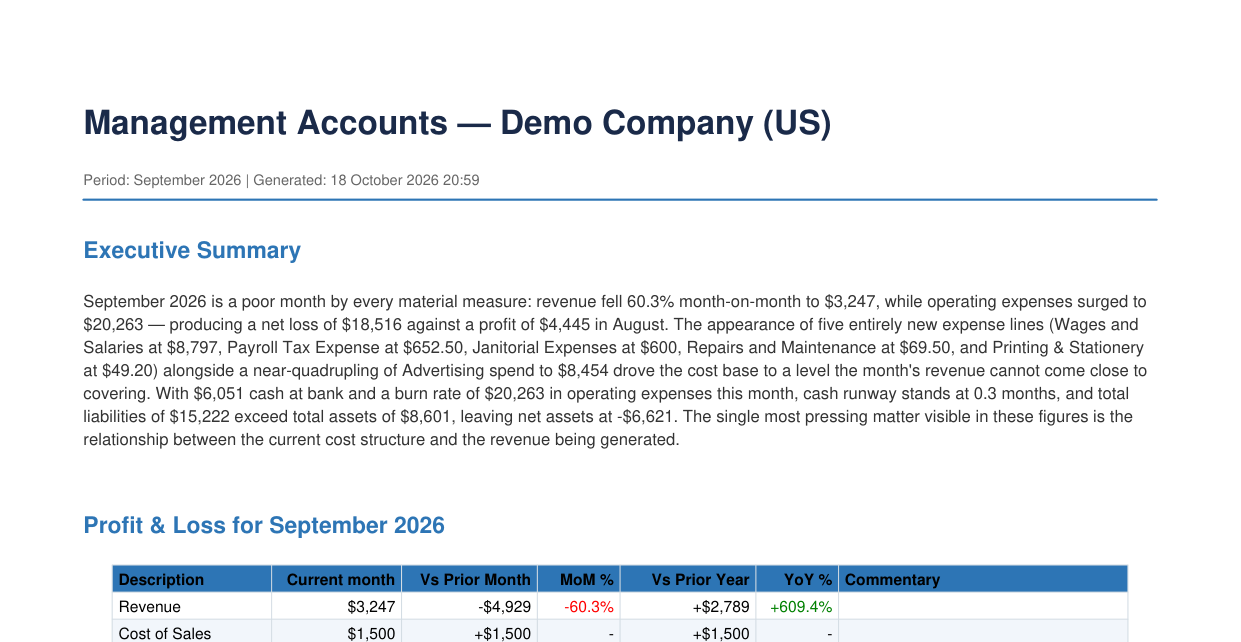
Every month Nella builds a management accounts pack from your accounting software: a PDF with an executive summary, your profit and loss, balance sheet, KPIs and the matters worth your attention. It lands in your Nella library and your inbox, and you can open it from ChatGPT or Claude too.
When you get it
- Your first pack is built after you connect your accounting software, usually within about 15 minutes. It covers the last full calendar month.
- After that, a new pack is built each month, on the 3rd at 09:00 in your time zone, for the month just finished.
- One pack per month. If the pack for a month already exists, Nella doesn’t build it again.
What’s in the pack
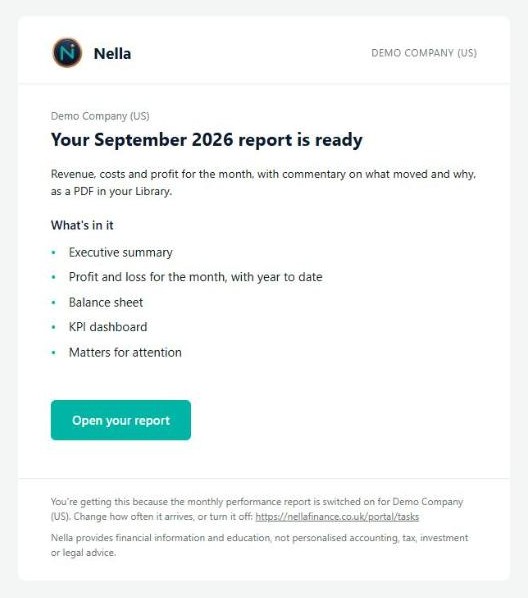
- Executive summary — what moved in the month, in plain English.
- Profit and loss for the month, compared with the prior month and the same month last year, with commentary on each line.
- Profit and loss for the year to date, and a line-by-line detail.
- Balance sheet at the month end, with commentary.
- KPI dashboard — including revenue, net profit, gross, net and operating margin, debtor and creditor days, current ratio, cash at bank and cash runway.
- Concentration — how much depends on your largest customer and largest supplier.
- Matters for attention — the points worth a closer look, each marked high, medium or low — and variance flags for the larger movements.
Sections only appear when your books hold the data for them. Figures are shown in your business’s own currency.
Where to find it
- By email. Nella emails you when the pack is ready, with a button to Open your report. The subject is your company name and the month.
- In your Nella portal. Open Library and choose Management accounts. Select a pack to preview it, or Download to save the PDF.
- In ChatGPT or Claude. Ask Nella for your latest management accounts. It gives you a secure download link, which works for an hour. In Claude you can also ask Nella to open a pack from your library.
Want to go further? Ask Nella in ChatGPT or Claude “what changed in September?” and it will walk through the figures with you.
Change the time or turn it off
The pack is a task called Monthly performance report. In your portal, open Tasks to change the day of the month (1 to 28) and the time it runs, or to switch it off. See Tasks and alerts.
If a month’s pack doesn’t arrive
- Nella couldn’t read your books. If your accounting software couldn’t be reached, or is no longer connected, no pack is built and no email is sent. Check your connection is still active — see Connect your accounting software.
- There was nothing to report. If the month has no figures to build from, the Tasks page shows Nothing to report.
- Your plan. Monthly management accounts are included during your free trial and on Nella Paid. They aren’t part of Nella Lite.
What the pack is and isn’t
The pack is built from what is recorded in your accounting software. If entries are missing or your bank isn’t reconciled, the figures will be incomplete in the same way your own reports would be. It is a management report for running the business, not statutory or audited accounts, and its commentary is information, not advice.
Nella provides financial information and education, not accounting or tax advice.
Connect your accounting software
Connect Xero, QuickBooks, Sage or FreeAgent in about two minutes, choose the right business, and reconnect if the link breaks.
Use Nella in ChatGPT
Add the Nella app to ChatGPT, sign in, and ask about your numbers in plain English.
Use Nella in Claude
Add Nella as a connector in Claude, sign in, and ask about your numbers in plain English.
Your Nella library
Where your management accounts and documents live, how to add your own, and how to open them in Claude.
Tasks and alerts
The summaries and alerts Nella sends you, and how to change when and whether they run.
Your Nella Score
What your score out of 100 measures, what the bands mean, and why it can change.